Time tracking for hospitality
From service to the kitchen: your team clocks shifts with a tap on the phone. You see hours, overtime and holidays at any time, without rota chaos.
Time-wasters you know in hospitality.
In hospitality, shifts, temporary staff and peak times change constantly. Stempli records who worked when, so the payroll adds up at month-end and nobody does the maths in their head.
Working hours on slips on the noticeboard or in someone's head
Overtime during peak times that nobody tallies up
Temporary staff and changing shifts that break the Excel sheet
This is how easy time tracking runs in hospitality.
Everything your business really needs, clear instead of overloaded.
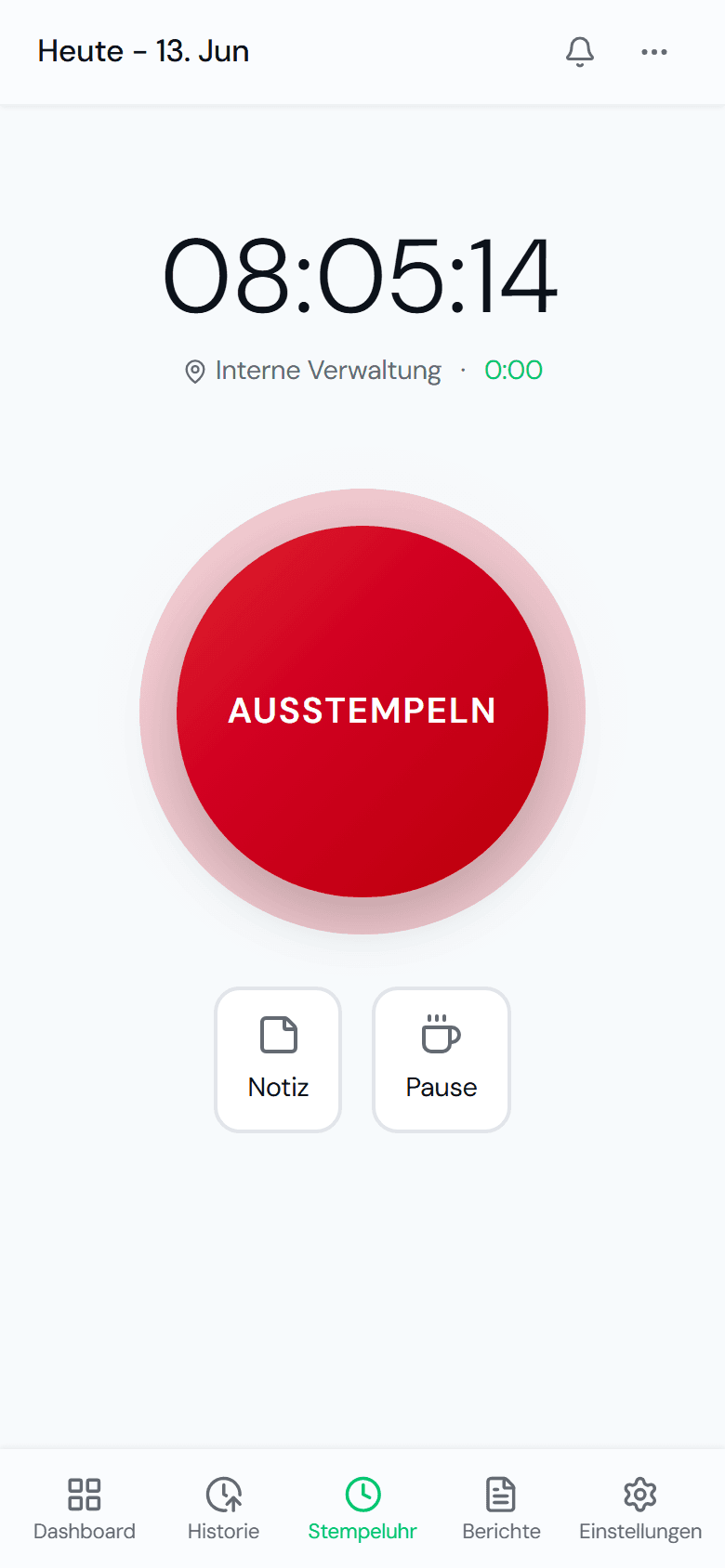
One tap at the start of a shift.
Service or kitchen, indoors or outdoors: clocking in takes one tap on the phone.
- Clock in and out with a single tap
- Record breaks at the press of a button
- On any phone, with no app store
- Ready for temporary staff right away too
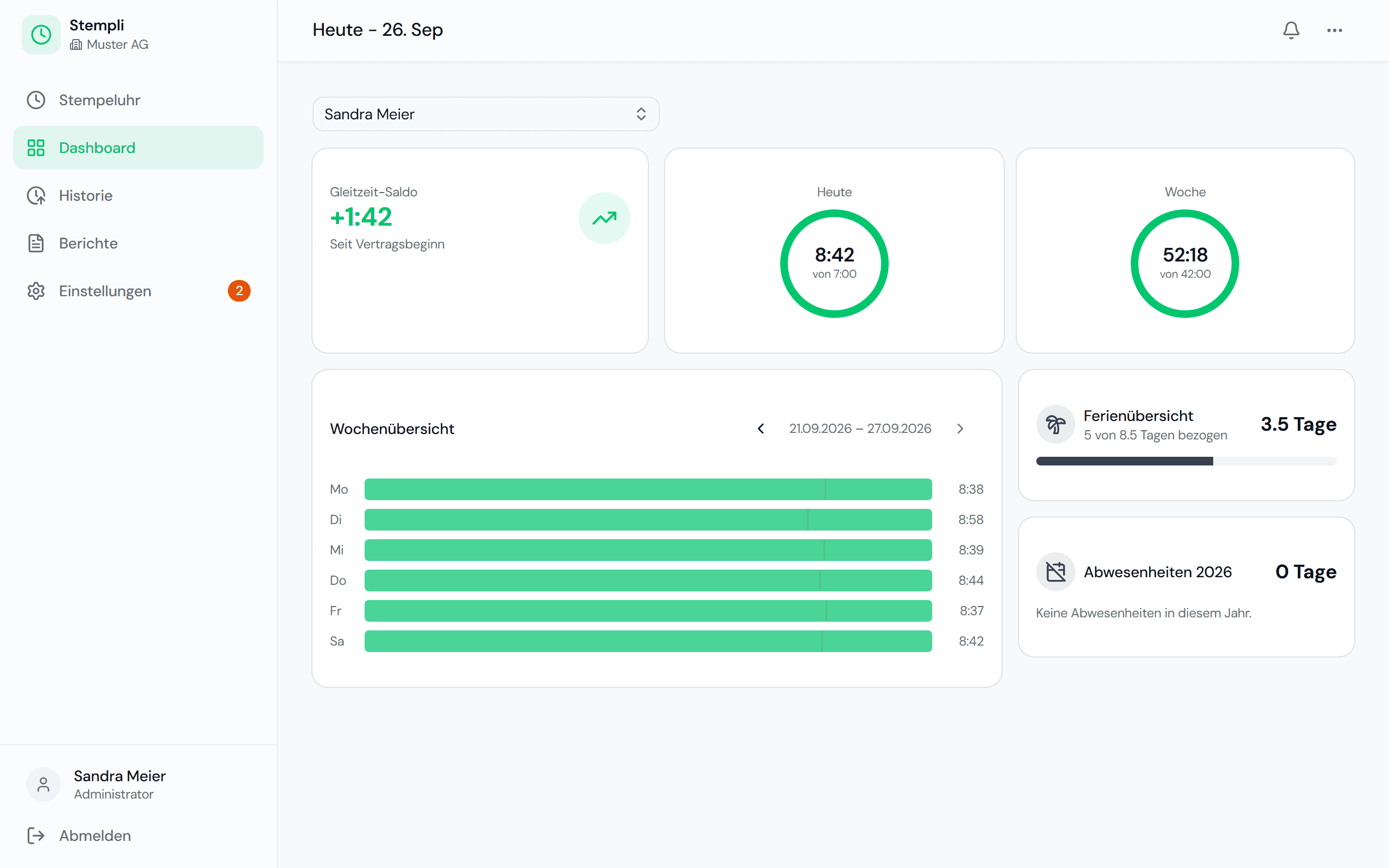
Overtime under control.
Flexitime and weekly hours in real time, visible for every shift and every person.
- Flexitime balance visible instantly
- Daily and weekly progress
- Set workloads for part-time staff
- Who is in, who is out
Holidays without a noticeboard.
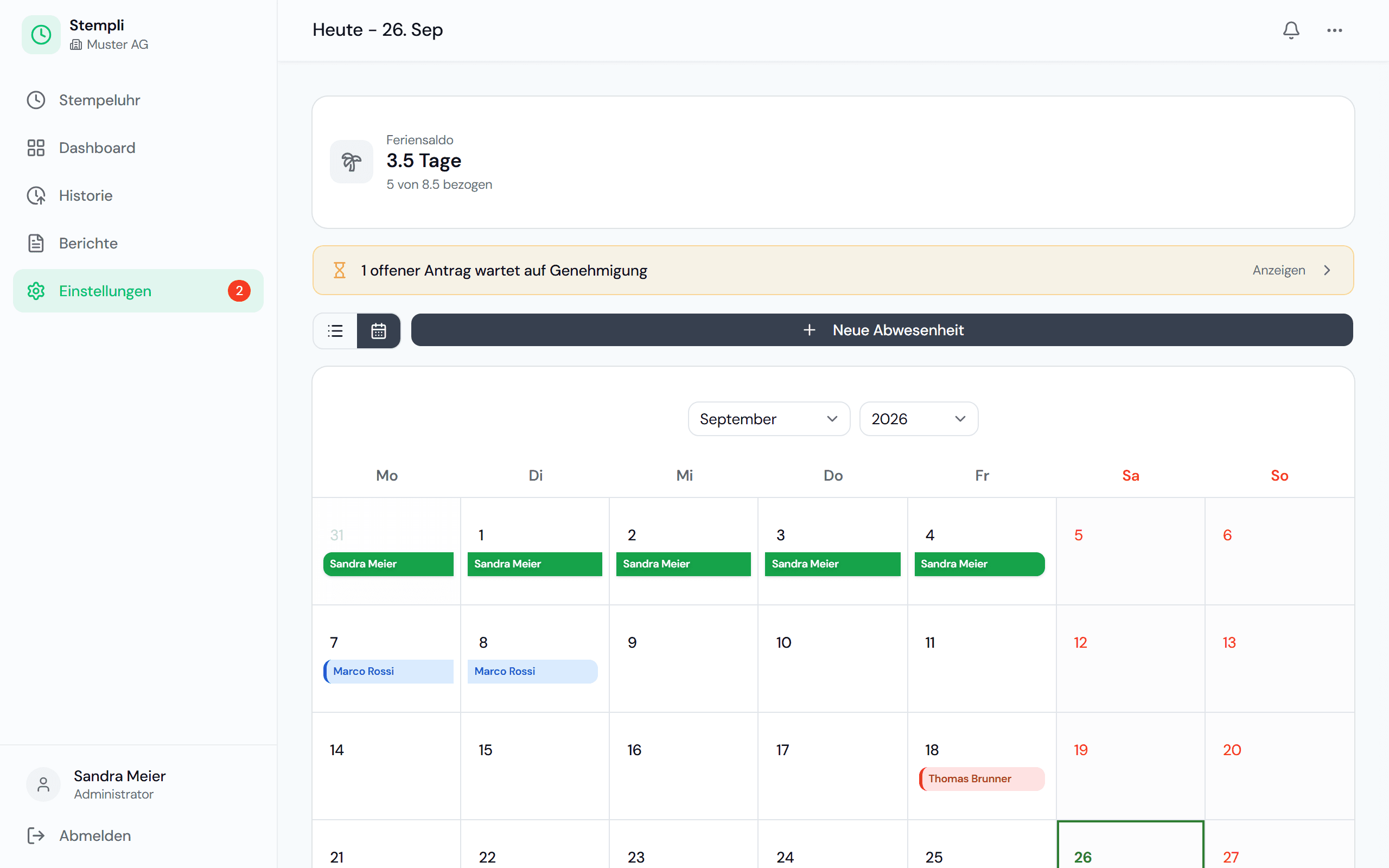
Requests, approvals and a team calendar in one place, holiday entitlement is calculated automatically.
- Request holidays, sick leave and more
- Approve with a single click
- Team calendar for everyone
- Automatic holiday entitlement
A day in the restaurant with Stempli
From the lunch service to the evening shift, this is how recording works in your business.
- 09:30The kitchen crew clocks in on their own phones when they arrive. No terminal, no list on the noticeboard.
- 14:30After the lunch service, the service team clocks out for the split shift break.
- 17:30Back for the evening: clock in again. The split shift is recorded cleanly in two blocks.
- 23:15The temporary helper clocks out after the last table. Her hours appear in the monthly total straight away.
- Month-endYou see overtime and holiday balance per person and pass the monthly reports to payroll as PDFs.
What applies in hospitality
The hospitality industry is covered by the generally binding national collective labour agreement (L-GAV). It requires working time to be monitored and regulates working hours and rest days.
L-GAV for the hospitality industry
The employer must monitor and record working time. If there is no such record, the employees' own notes can serve as evidence in a dispute. Proper recording therefore protects the business above all.
Working hours and rest days
The L-GAV sets the average weekly working time depending on the type of business, as well as the rest days. With the flexitime and holiday balances, you can see at any time whether someone has worked too much or too little.
Split shift breaks (Zimmerstunde) and split shifts
With split shifts, it must be clear what is working time and what is free time. If staff clock out for the split shift break and clock back in afterwards, you get clear billing at month-end instead of discussions.
A brief overview, not legal advice. The Labour Act and the collective labour agreement that applies to your business are authoritative.
One plan, everything included, fair per employee.
A fair base fee plus a fixed price per employee. No hidden costs, no lock-in.
Frequently asked questions in hospitality
Yes. You set the workload per person, so part-time and temporary staff are billed correctly.
Yes. Requests run through the team calendar, and you approve with a single click.
Yes. Employees clock out for the split shift break and clock back in for the evening. Both blocks appear in the history, and Stempli calculates the daily total itself.
No. Everyone clocks in with their own phone in the browser, with no app store. That saves buying and maintaining a terminal.
Yes. The team calendar shows holidays and absences at a glance, and you approve holiday requests with a single click.
Stempli records the start, end and breaks of every shift and provides monthly reports as PDFs. That gives you the basis for the required working time records. You implement your business's specific rules, for example on rest days, in your planning as usual.
Stempli fits your business too.
Discover what time tracking looks like in other industries.
Ready to leave Excel behind?
Arrange a non-binding demo. We set up a test instance for you and show Stempli in your business.
Non-binding · No credit card · Set up in just a few minutes