Time tracking for the construction site
Your team clocks in directly on the construction site with their phone, you book hours to the right project. No more report slips left lying in the van.
Time-wasters you know on the construction site.
On a construction site every hour counts, and at month-end it should be clear who spent how long on which site. Stempli turns loose report slips into clean, digital tracking, straight from every employee's phone.
Report slips that arrive wet, crumpled or not at all
Hours that can no longer be assigned to any site at month-end
Overtime and travel time that get roughly estimated instead of recorded
This is how easy time tracking runs on the construction site.
Everything your business really needs, clear instead of overloaded.
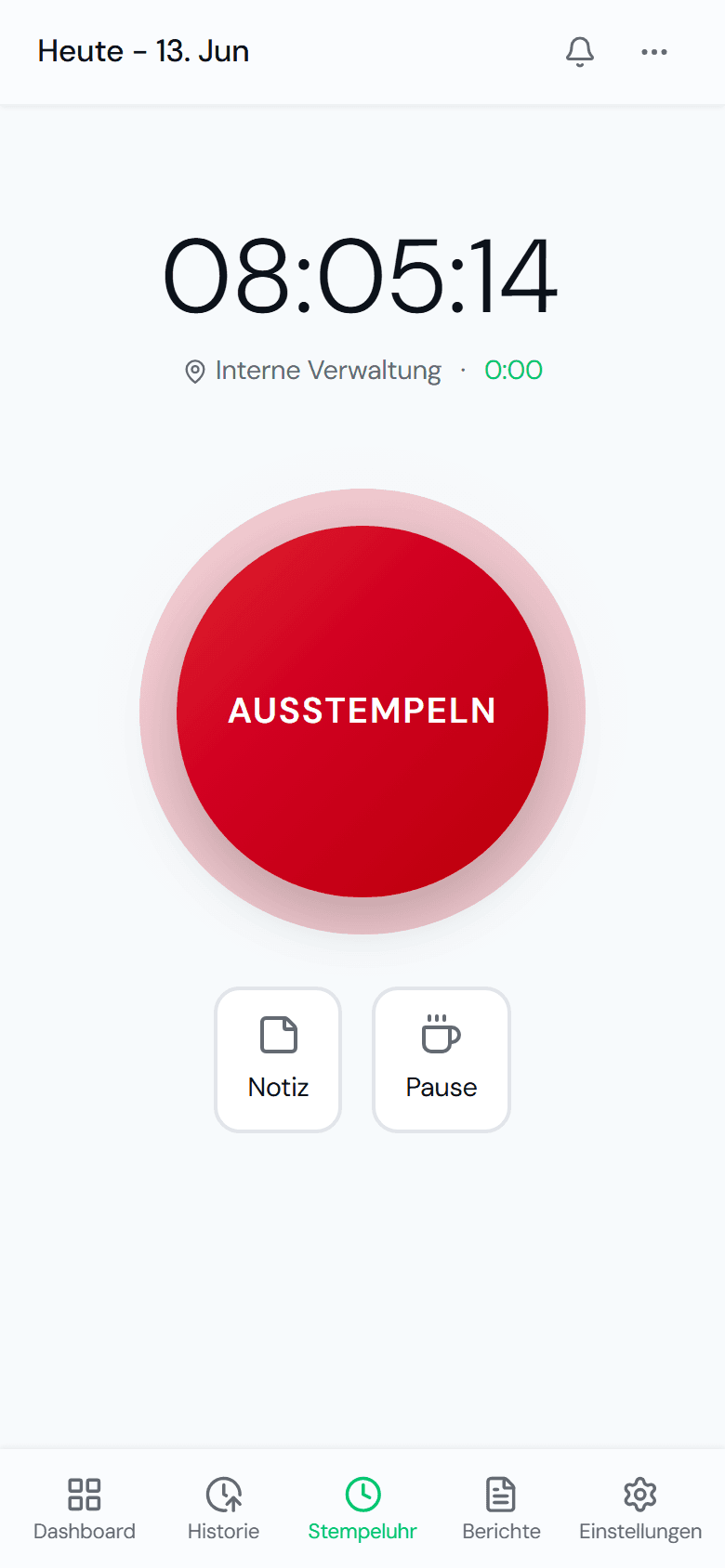
Clock in where the work happens.
One tap on the phone and the clock is running. No login marathon, no training, no app store.
- Clock in and out with a single tap
- Record breaks correctly
- On any phone, with no app store
- No training needed
Hours per construction site.
Every hour runs onto the right cost centre, traceable site by site.
- Create a cost centre per construction site
- Assign it directly when clocking in
- Analysis per project
- A clean basis for post-calculation
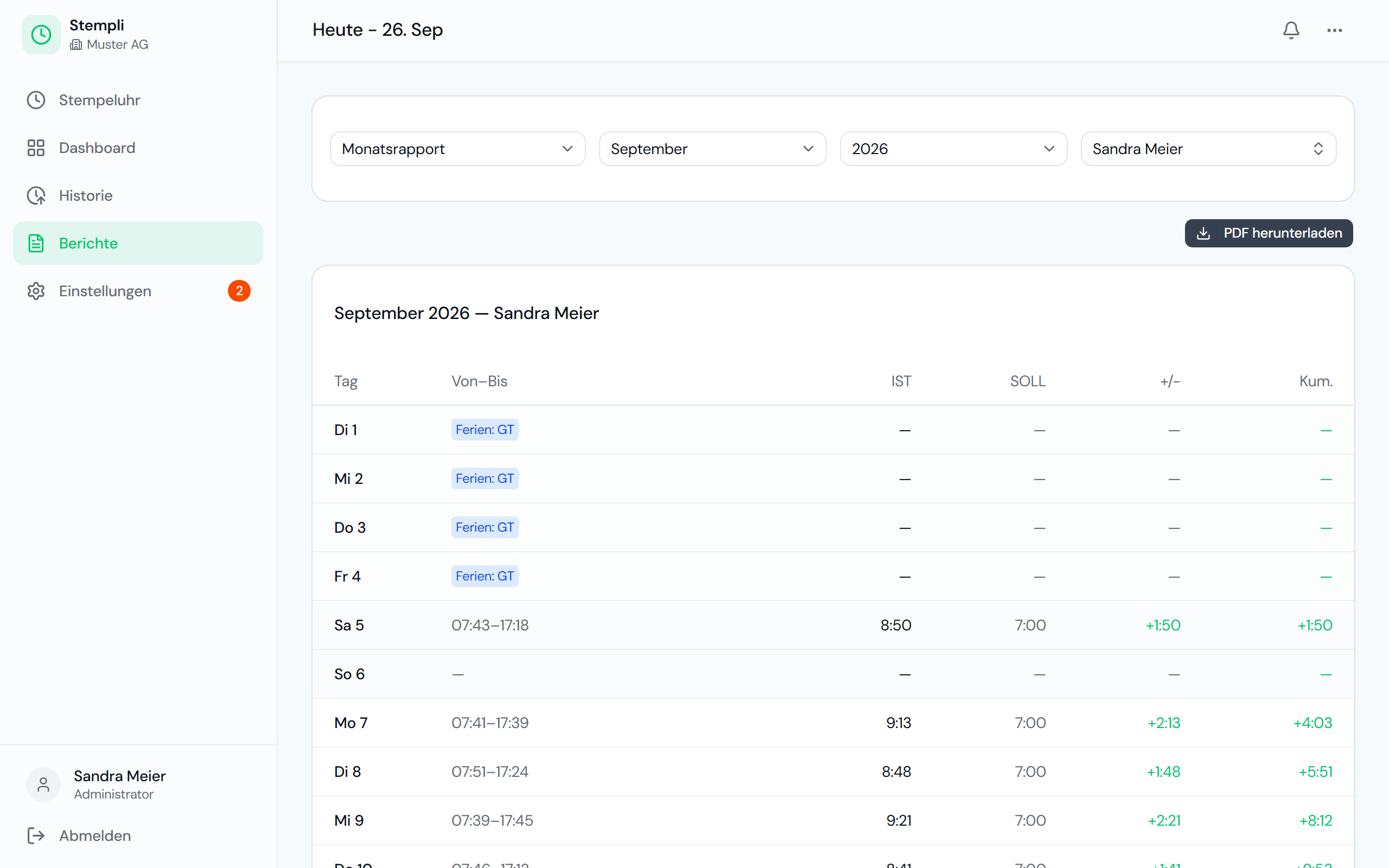
Reports in minutes.
Monthly reports per employee as PDF, ready for payroll instead of half a day of manual work.
- Monthly timesheet as PDF
- Selectable per employee
- Target, actual and balance included
- In seconds instead of hours
A day on the construction site with Stempli
This is what time tracking looks like for a typical construction crew, without a single paper slip.
- 06:45The foreman arrives at the yard and clocks in. He selects the cost centre for the construction site where the team is working today.
- 09:00Mid-morning break (Znüni): one tap starts the break, a second tap ends it. The break is automatically deducted from working time.
- 13:30A new temporary worker clocks in from day one: open the link, log in, press the button. No training needed.
- 17:00End of the working day: clock out on the phone. Anyone who forgot a break sends a correction suggestion, which the office approves.
- Month-endThe office generates the monthly report for each employee as a PDF and analyses the hours per construction site for post-calculation.
What applies in construction
In the main construction industry, working time is governed not only by the Labour Act but also by the national framework agreement (LMV). Clean records of hours are therefore more than good housekeeping, they are mandatory.
National framework agreement (LMV)
The LMV, which has been declared generally binding, regulates working time, overtime and allowances beyond the Labour Act. The joint (parity) commissions monitor compliance and require traceable records of hours to do so.
Travel time and work away from base
The normal commute is not working time. If the journey is longer because the work takes place on a construction site elsewhere, the difference counts as working time. Clocking start and end times properly gives you the basis for correct billing.
Bad weather
If work is cancelled because of the weather, you must be able to prove who could not work and when. To pay bad weather compensation from unemployment insurance, the fund requires complete working time records.
A brief overview, not legal advice. The Labour Act and the collective labour agreement that applies to your business are authoritative.
One plan, everything included, fair per employee.
A fair base fee plus a fixed price per employee. No hidden costs, no lock-in.
Frequently asked questions on the construction site
No. Stempli runs right in the browser on any phone, with no app store. Anyone who can use a phone can clock in.
Yes. With cost centres you assign every hour to the right construction site and analyse per project, ideal for post-calculation.
As a web app, Stempli works offline. Clock-ins are stored temporarily on the phone and transferred as soon as there is a connection again.
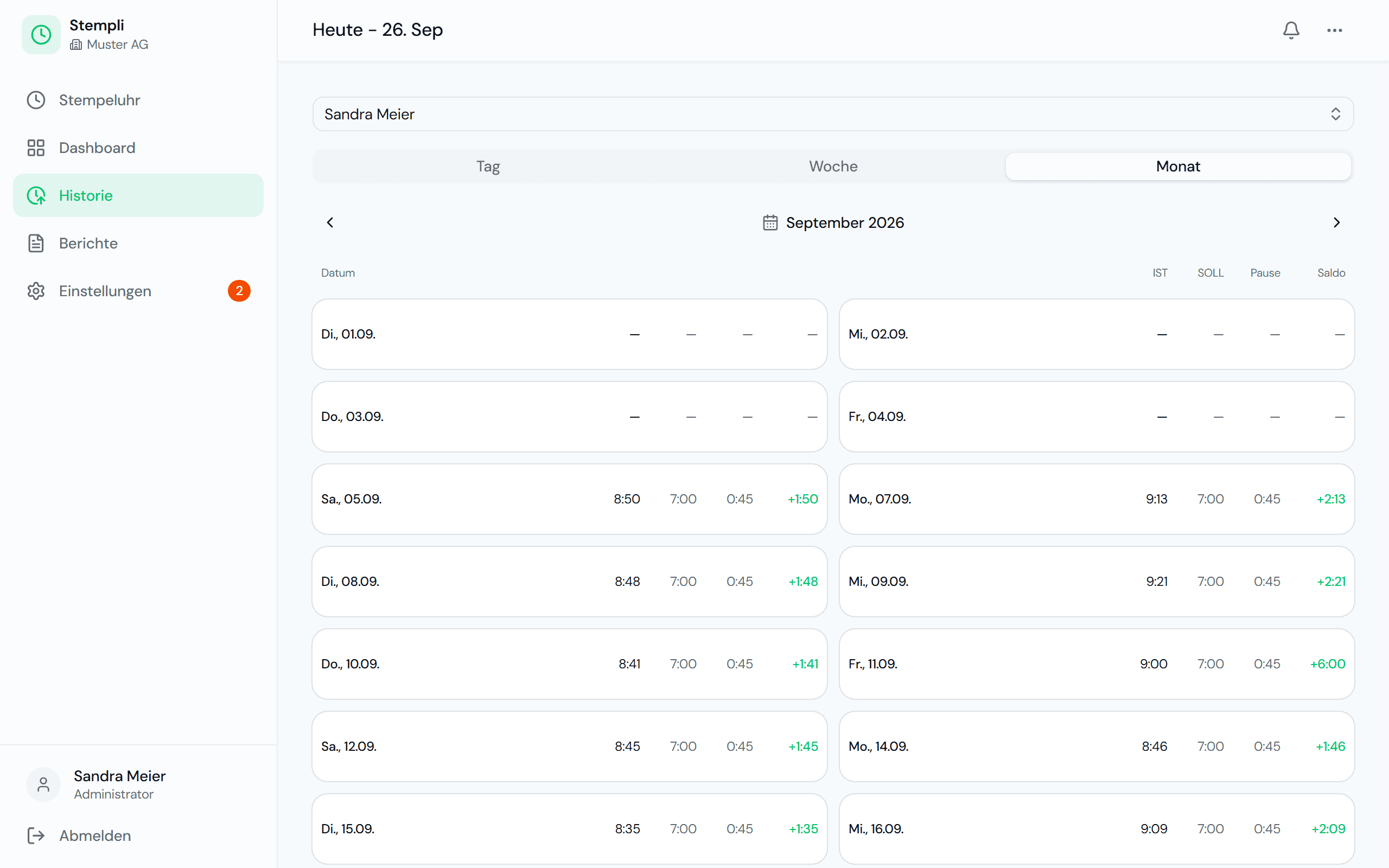
Yes. Because every day is recorded with start, end and breaks, the history and the monthly report show exactly who worked when and who did not. That is the basis you need for billing and inspections.
Employees send a change suggestion, and the office approves or rejects it. That keeps corrections traceable, and nobody has to reconstruct times from memory at month-end.
No. Stempli delivers clean hours, overtime and holiday balances and the monthly report as a PDF. Your payroll team or fiduciary then takes it from there.
Stempli fits your business too.
Discover what time tracking looks like in other industries.
Ready to leave Excel behind?
Arrange a non-binding demo. We set up a test instance for you and show Stempli in your business.
Non-binding · No credit card · Set up in just a few minutes